ZippyCarna app • Android
One app for
renters and hosts.
Book cars, manage trips, or list your own car and earn. Download the Android app directly from ZippyCarna — Google Play listing coming soon.
iOS version will follow.
106.2 MB • Version 1.71.0 • Released 13 Nov 2026, 09:55 AM
SHA-256: 0696a1ee8564…
Scan to download
ZippyCarna v1.71.0
Open your Android camera and scan, or visit
zippycarna.com/download
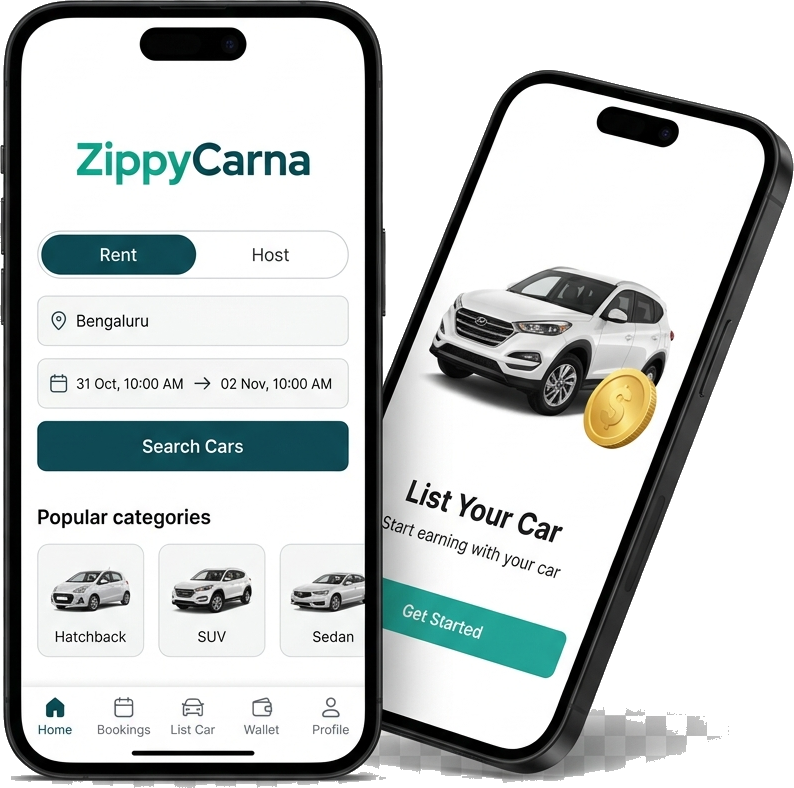
For Customers
- Search & book self-drive cars
- Pay securely in-app
- Photo check-in / return with OTP
- Trip reminders & live support
For Hosts
- List your car with RC, insurance & PUC
- KYC with Aadhaar, PAN & bank
- Track approvals, bookings & payouts
- Track earnings and payouts in one place
What's new in v1.71.0
- Important update: keeps your ZippyCarna app receiving the latest features and notifications
- Please install
Updated automatically with every new release · 13 Nov 2026, 09:55 AM

Install guide
How to install on Android
Follow these simple steps to install the ZippyCarna app.
- 1
Download APK
Tap Download APK on your Android phone (or scan the QR code).
- 2
Open the file
Open the downloaded file. If asked, allow installs from your browser (Settings → Install unknown apps).
- 3

Install & sign in
Tap Install, then open ZippyCarna and sign in with your mobile number.
- 4
Get started
Customers: start booking cars. Hosts: choose “I want to host my car” to begin onboarding.
Only download ZippyCarna from zippycarna.com.
Every build is published by the ZippyCarna team and its SHA-256 checksum is shown above so you can verify the file.
By installing you agree to the Terms and Privacy Policy.
Get the app
ZippyCarna in your pocket.
Book and manage trips, complete photo check-ins, and switch to Host Mode to list your car — all from the Android app.